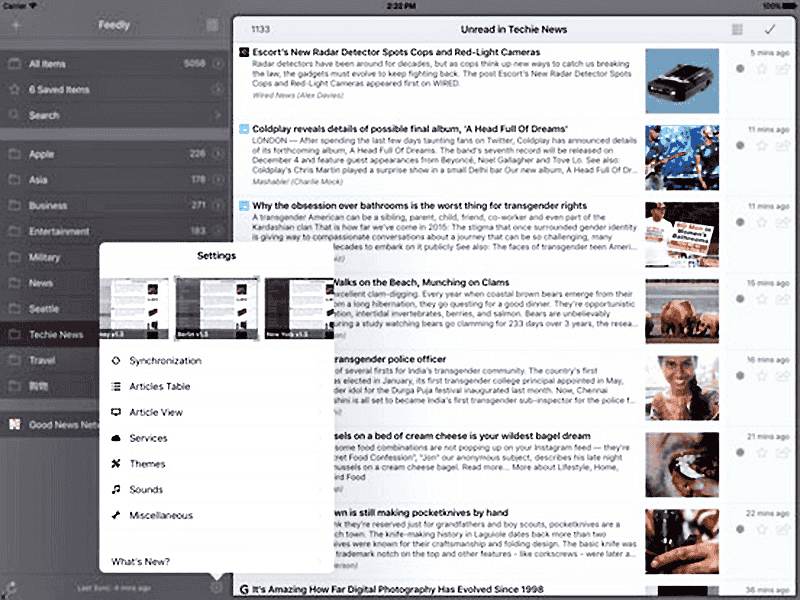
Version 1.11.2

Submitted: March 1st, 2013 → App Store: March 12th, 2013

New Features

Improvements

  • Tap on folder behavior can be changed in the Miscellaneous settings: display articles or open folder
  • Theme Editor: The color and style (bold + underline) of links in the article view can be set
  • Accessibility improved (VoiceOver)
  • 'Launch 1Password' added to most login dialogs (only when 1Password v4 is installed)
  • Service Templates: New tag/placeholder [AUTHOR] introduced to insert the article author if available
  • Added a button to insert the article author in the Twitter, App.net, Buffer and Toodledo dialogs
  • Added a button to insert the original URL to the Twitter, App.net and Buffer dialogs. For most users it was unknown that the original URL (instead of the shortened URL) could be inserted with a tap and hold on the 'Link' button.
  • Replaced the insert value buttons (Source, Title, ...) in the Twitter, App.net and Buffer dialogs with a keyboard extension. I was running out of space displaying all of this buttons.

Fixes

  • Twitter: Upgraded to the Twitter API v1.1. v1.0 retires in March 2013.
  • Twitter: Now I'm updating the t.co link lengths once a day by asking Twitter. Previously it was hard coded. Did not thought that Twitter will change them that often. ;-)
  • App.net code migrated. There are some API changes that will take effect on March 20, 2013
  • Posterous removed. The Posterous API is broken since December 2012 (500 Internal Error), and it will turn off on April 30, 2013
  • Article View: The sharing menu button no longer uses the selected text. Was a relict and responsible for a unwanted behavior when some text was selected but no service configured to process it (opened Safari).
  • Article View: Now the header values (title, author) can be selected for example for copy & paste or the text selection actions
  • Article View: No more text on the right side of an image if it is larger than 3/4 of the current set article width
  • Zoom Image: My Thumbpad could be used while the Zoom Image dialog was in display. It did not show the buttons, but the functionality was executed. :-(
  • Articles Table: After a rotation the shadows at top and bottom were occasionally not displayed in full length
  • Error message added when the image saving failed due to missing access rights (iOS Settings App -> Privacy -> Photos)
  • Portrait mode: A tap on the unused space in the folders/feeds table toggles the articles table position. But it was in an undefined state when you moved the articles table manually at this time.
  • Article View (only iOS 5): Tapping a link to open a installed App (via App URL scheme) did not open the App and a error message was shown (e.g. Drafts action import URL's).
  • Used the wrong 'return' key description in the multiline message fields of the Twitter, App.net and Tumblr dialogs (was 'Done')
  • Articles Table: Fixed the ugly cut off of the last line when you used multiline titles and a small row height

Version 1.11.1

Submitted: January 24, 2013 → App Store: February 5, 2013

Fixes

  • Fixed the sharing crash (OmniFocus, Things, Blogsy, …) when initiated from a link or the web view
  • Fixed the included Blogsy URL scheme
  • Zoom Image: Long alt-text cut off fixed
  • Text selection menu: Fixed a problem when speak selection is enabled (Settings -> General -> Accessibility -> Speak Selection: On)
  • Image menu: 'Open Image URL' and 'Open Link URL' did no longer work

Improvements

  • Added the value encoding (curly braces) also to the Browser URL scheme templates
  • Message (SMS): Now you can open it also from the text selection menu, but only when the tag [TEXT-SELECTED] is used in it's template
  • Text selection menu: When there is only one service able to process the text selection, it gets displayed by name instead of 'More Actions'
  • Service configurations: Added links to the Browser, App and Mail Action documention websites

Version 1.11

Submitted: January 10, 2013 → App Store: January 17, 2013

Attention

Buffer and Twitter template user? Please update your templates. I've replaced the tag [ORIGINAL_URL] with [URL] and [URL] with [URL-SHORTENED] to unify the tag handling.

New Features

  • Added a generic solution to open 3rd party Browsers by using their URL schemes: Documentation
  • Replaced all previously hard coded third party Browsers with the new generic solution
  • Added Apollo Browser, Dolphin Browser, Maven Web Browser+ to the Browser examples
  • Added a generic solution to open other 3rd party Apps by using their URL schemes: Documentation
  • Replaced all previously hard coded Apps (Blogsy, OmniFocus, Terminology, Things) with the new generic solution
  • Added the following to the App examples: Articles, Drafts, HootSuite, Papers, Poster, Search Google, Search Wikipedia
  • Send your added App and Browser configurations (generic solution) to other Mr. Reader users by mail. They can import/install them directly from the Mail App.
  • Added a generic Mail Actions solution for services like Springpad that can process mails. Also with export and import functionality: Documentation
  • Added App.net (ADN) as a new service
  • Added Toodledo (Notebooks) as a new service
  • Added LinkedIn as a new service
  • New Articles Table option to mark articles automatically as read on open in the article view as before or manually
  • Left-hand users: Exchange the location of the subscriptions (folders/feeds/etc.) and articles table:
    Settings -> Miscellaenous -> Subscriptions And Articles Table

Improvements

  • Article Viewer: Added 'More Actions' to the text selection menu. It shows only the services that are prepared to handle your text selections.
  • Simplified the tags insertion for all service templates. The tags are now shown as buttons above the keyboard and must not be entered manually.
  • Send PDF's to Evernote (previously it was only the link to the PDF)
  • iOS 6: App Store links are now opened inside Mr. Reader. If you don't like it, then disable it in the 'Article View' settings.
  • Renamed 'All Unread Items' to 'All Items' and added a table option - like for folders and feeds - to show all or only unread items

Fixes

  • The theme preview images in the Settings are now retina images again
  • Using the correct theme at cold start
  • Zoom Image: Displaying the correct alt text (Comic: http://thedoghousediaries.com)
  • Fullscreen video and rotation bug fix
  • Move the articles table also with a swipe gesture on the header
  • iOS 6: Video/audio playback stopped when quitting the App (AirPlay; Apple TV)
  • iOS 6: Missing audio problem when watching videos and the ringer switch is off
  • Some bugs, memory leaks and crashes fixed

Version 1.10.2

Submitted: October 3, 2012 → App Store: October 11, 2012
Bugfix release due to some service login problems

Changes

  • 'Subscriptions Checker' added. Can be started from the Settings dialog.
  • New 'Articles Table' option to define if the table should automatically hide itself on a 'Mark All As Read' or not
  • Some service logins stopped working
  • Twitter/Buffer: Send button was not always enabled when you are using a template
  • Article View: removing a text selection when you open for example another article
  • Articles Table: re-enabled the 'Pull Up At Table End' (= mark all articles as read) to hide the articles table in portrait mode even when all articles are already marked as read.
  • Fixed the search problem introduced with the previous version

Version 1.10.1

Submitted: September 13, 2012 → App Store: September 20, 2012
This is an iOS 6 compatibility and bug fix release

Fixes

  • Several changes were necessary to be iOS 6 compatible
  • Fixed the navigation bug (crash) when you open a folder, select a feed, read an article and then use the 'Back' button (occurred only when the App was not reactivated from background)
  • Fixed a translator bug when you used Chinese Simplified or Chinese Traditional
  • Hopefully fixed the jerky scrolling for all, when 'mark as read while scrolling' is enabled
  • Tumblr crash fix when the mandatory URL is not set
  • Checked and fixed the auto correction and auto capitalization of "all" input fields
  • Now you can use 'Copy URL' without an internet connection. Of course the URL resolving is not done in this case.
  • Dismissing the keyboard when you open an article (search was used, …)
  • Added checks for missing input in the service login dialogs (previously a server call was used)
  • Fixed a crash that was related to persisting the user preferences
  • Fixed a folder table options bug (wrong context; fixes also a subsequent error)
  • Fixed a crash during synchronization (while updating the feeds/folders table)
  • Another navigation fix when show only folders/feeds with unread items was enabled: You are in a folder, a feed is selected, all items are marked as read and you go back. Now the folder is still selected. Previously nothing was selected ("empty" folder was removed) and the articles table was still showing the same content as you were in the folder.
  • Removed the empty Mr. Reader entry from the iOS Settings App
  • Article Viewer: Disabled the previous/next article pull gestures when the keyboard is visible to prevent data loss.
  • Tags handling of Zootool and Delicious fixed
  • Theme Editor: Removed the unused 'Table Header Button' tint color
  • Themes: Fix for up side down drawn pattern images
  • Dialogs: The initial input field focus was not set reliable
  • The swipe gesture to move the articles table in portrait mode is now more aggressive (reduced the threshold from 50 to 20 pixels)
  • Article Viewer: Single tap with two fingers opens AND closes the 'Image Zoom' view

And some more...

Version 1.10

Submitted: August 14, 2012 → App Store: August 24, 2012

New Features

  • Google+ sharing added
  • Open in Google Chrome added
  • Added the bookmarking service Kippt
  • Add articles to Bolt
  • Select existing tags when using the following services: Delicious, Diigo, Pinboard, Zootool
  • Article View: Select a word or sentence and translate it to your language. The language can be set manually in the 'Article View' settings when the auto detection failed. (Internet connection required)
  • Send 'Message' as new service added
  • Added CloudApp as an additional URL shortener
  • Added Bolt as an additional URL shortener
  • The blogging App 'Blogsy' is now supported (Wordpress, Tumblr, Blogger, ...)
  • VoiceOver: First step to make Mr. Reader accessible for blind or nearly blind people
  • 'Load More Articles' added. You will find more infos about it in the 'Articles Table' settings.

Improvements

  • HTTPS is the new default for the Google Reader communication
  • Articles Table: More Customization (row height, thumbnails left/right, thumbnails size, font size)
  • Articles Table: Unread count value gets shown in portrait mode
  • Articles Table: Left handers can move the toolbar buttons ('table options' and 'mark all as read') to the left side
  • Article Viewer: Single tap with two fingers on an image zooms the image and I've removed the annoying animation
  • Article Viewer: Added 'Copy Image' to the menu when you use tap and hold on an image. Copies the image to the clipboard.
  • AirPlay: Streams audio or video content in the background (before it stopped playing them when you left the App)
  • Setting the selected text of the article viewer automatically in the "note" field when using Tumblr, Posterous, Kippt, Delicious, Pinboard, Instapaper, Diigo
  • Increased the touch area of the Synchronize button, Settings button and the arrow button to open a folder
  • Portrait only: A tap on the free area in the folders/feeds table "toggles" the articles table (moves it to the left or right)
  • Assign Google Reader Tags: Double tap on a Tag assigns/saves this selection immediately
  • Assign Google Reader Tags: Indexed table for faster selection (can be disabled in the 'Miscellaneous' settings)
  • URL Shortener selection and configuration simplified
  • Revised the Settings and added some comments to unclear options
  • Displaying the total count of starred items
  • Added the tag [ORIGINAL_URL] to the Twitter and Buffer templates that gets replaced by the original URL
  • Assigning Google Reader tags/folders: Showing an info message when no tags/folders exist and disabled the save button in this case
  • Downloading the missing already read items during the next synchronization when you changed the 'Keep Read Item' duration setting
  • Replaced the confusing logins (username and password) from the service settings by a text hint and an logout functionality
  • Removing the Google Analytics parameters also from Link URLs that don't have to be resolved when you share such a Link
  • Reduced the memory usage "extremely"

Fixes

  • Buffer: Logout and Re-Login problem solved
  • Fixed the non scrollable Buffer and Twitter input fields
  • Fixed a read articles fetching problem when a new feed has been added either from the Google Reader website or by using Mr. Reader
  • Ignoring synchronization errors that are for example related to Google Alert feeds with forbidden access
  • Updated the Twitter icon
  • Tumblr will remove their V1 API on September 1st, 2012; migrated to V2. This fixes also the login problems.
  • Twitter: computing the remaining character count, especially when the original URL was inserted by using tap and hold on the Link-button
  • The shadow on top of the table with the folders/feeds was sometimes "frozen"
  • The deletion of web cookies, databases, local storages is no longer the default on exit (Mr. Reader Settings -> Miscellaneous)
  • Article View: Fixed a display problem with embedded source code and line numbers
  • Article View: Fixed the line height problem with multiline headers
  • Twitter: Switched to HTTPS when using the iOS Twitter framework; hopefully this fixes the '403 forbidden' errors
  • Fixed some additional smaller bugs, freezes and crashes

Version 1.9

Submitted: May 15, 2012 → App Store: May 17, 2012

New Features

  • Support of multiple Google Reader accounts added. Tapping the email address of the currently logged in user opens the user manager dialog box.
  • Added SendTab as a new service to open article websites on other devices
  • Additional browser options: Open in Opera Mini, Open in Sleipnir
  • Buffer: You can now post your messages immediately without using the Buffer queue
  • Twitter, Buffer, OmniFocus, Things: Define templates in the settings for their respective apps
  • Pinboard: Bookmarks can be added with the 'mark as unread' flag
  • Theme Editor: Mr. Reader can now create the preview images for you. Previously you must take a screenshot, scale it down and upload it.
  • Twitter: Devices with iOS 5 and higher use the Twitter-Framework of iOS

Improvements

  • Article Viewer: Auto-hyphenation of words can be activated in the 'Article View' settings
  • Article Viewer: Adjust the line height in the "font" dialog
  • Article Viewer: tapping on the article title opens the original website
  • Article Viewer: added a history back button to the Thumbpad (only visible when a history exists)
  • Article Viewer: fast thumbpad users or users with thick thumbs get an info when they have reached the end
  • Article Viewer: added the entries Open and Copy Link URL to the menu when you use tap and hold on an image that is also a link. As one example, this can be used on an RSS icon to copy the feed URL to the clipboard.
  • Article Viewer: expanded the hit area of the navigation buttons
  • Article Viewer: new option to define if the button to close the article viewer should be shown on left or right side
  • Article Viewer: new option to define the Thumbpad buttons arrangement
  • Article Viewer: new option to disable the confirmation dialog shown when you tap on a link that opens another App (App Store App etc.)
  • Search: the articles table now shrinks automatically in portrait mode when you start typing your search
  • Search: when you open the search, the focus is now automatically set in the search field
  • When you force a favicons reload, favicons are now displayed immediately
  • Error sounds added when any services fails
  • Buffer: added the shared URL Shortener configuration to the Buffer settings
  • URL Shortener: abandoned the cumbersome API key solution for bitly, you can now sign in with your username and password
  • New option in Miscellaneous to display the last synchronization date absolute or relative (relative is the new default)
  • When you open a folder you can show "All Items" or only the "Unread Items" (<- NEW) of this folder
  • New option in 'Miscellaneous' to define if the folders should be shown above or below the feeds
  • Articles table: starred or tagged feed items that are older than the set 'keep read items' value are now hidden
  • Updated to the April 24, 2012 Facebook SDK

Fixes

  • You could use the 'Return'-button on the virtual keyboard when the "Save"-Button of the create/rename tag or folder dialog was disabled. This led to corrupt data with high probability. I'm so sorry!
  • Black rectangles shown from time to time in the article viewer
  • Fixes the glitches of the main navigation bar (the one above the folders/feeds) during an iPad rotation
  • Sometimes mail article did send only the link to the article
  • Fixed bug that occasionally caused the Theme Editor to spontaneously restart
  • Feeds with wrong favicons
  • Some images uploaded by the Theme Editor weren't immediately displayed
  • Fixed a crash when posting an article to Posterous
  • Search results fixed so that unread counter badge is no longer reset to zero
  • iOS 4.3 : fix for the "jumping" pull up arrows when switching between views
  • Evernote: default Tags and default Notebook handling fixed
  • Performance and memory usage improvements
  • 'Read It Later' is now called 'Pocket' (April 17, 2012)

Version 1.8

Submitted: March 17, 2012 → App Store: March 23, 2012

New Features

  • Support for Retina-capable iPads (+ Theme Editor)
  • Search for articles with the option to save searches
  • Added Buffer as a new service (supporting the Pro accounts)

Improvements

  • Services now send data in the background, without blocking the user interface. When done, it plays your service sound when enabled, otherwise an unobtrusive info appears at the top.
  • Evernote: tag handling added, define default tags in the Evernote settings
  • Evernote: added a dialog to modify the details when creating a new note. This is the new default and can be disabled in the Evernote settings.
  • Evernote: you can add a summary in the new dialog that appears at top of the article.
  • Evernote: appending the source URL as a link to the note. I know there is a specific field, but this cannot be set from the used Evernote service.
  • Theme Editor: Showing the image filenames as tooltips
  • Re-enabled the articles table option on folders at root level to show all, or only unread items
  • Added '3 hours' to the mark as read options (tap and hold the 'Mark All As Read'-button)
  • Twitter and Buffer dialog: tap and hold the Link-button to insert the un-shortened feed item URL
  • Performance improvements
  • Resolving 'http://*.feedsportal.com' URLs when using the supported services (Mail, Twitter, Diigo, Tumblr, ...)
  • Optimized the image display in the article viewer. Large images scale down to the current page width (also on rotation), and small image galleries are displayed side by side instead of top down

Fixes

  • Theme Editor: due to a last minute table scrolling improvement in v1.7, the articles table icons (read, starred, tagged, …) did not refresh immediately when a new icon was uploaded
  • Some memory leaks, and possible crashes on App start/exit fixed
  • Fixed a bug when the URL resolving "failed" and afterwards those articles cannot be opened (e.g. Safari)
  • Fix for recent Instapaper changes; text only is back
  • Changed the min. iOS requirement from iOS 4.2 to 4.3 (version 1.7 crashed on devices with iOS 4.2.x)

Version 1.7

Submitted: January 26, 2012 → App Store: February 01, 2012

New Features

  • Additional themes can be installed from the website.
  • Theme Editor added. You can find more informations about it on the website.
  • You can send your created themes to other Mr. Reader users by mail. They can install them directly from the Mail app.
  • Added Posterous as a new micro blogging service
  • Added SENDtoREADER as a new service for your Kindle
  • 'Read It Later' Mobilizer added as a additional article viewer
  • Adjust the content width of the article viewer
  • Display the article content justified
  • Added 'Helvetica Neue' and 'Optima' as new fonts to the article viewer
  • Twitter: beside the article title and link you can insert the feed name (source)
  • Settings: Now you can re-order your used services
  • Mail Settings: Define mail recipients, when you frequently send links and articles to the same persons

Improvements

  • Tap and hold a link in the article viewer to open the service menu
  • Merged the two service groups for composition and configuration into one called 'Service'
  • Displaying all or at least more images of subscribed eBay searches in the articles table
  • Some improvements and fixes of the pull up functionality to 'mark all items as read' in the articles table
  • Revised the Tumblr dialog and made it possible to refresh the Tumblr blogs
  • Resolving 'http://feedproxy.google.com/...' URLs when using the supported services (Mail, Twitter, Diigo, Tumblr, ...)
  • When only one service (Safari, Mail, Posterous, ...) is enabled, it gets executed immediately without showing the popover
  • Deletion of web cookies on App exit is no longer the default (Settings->Miscellaneous)
  • Send2Mac settings revised

Fixes

  • 'Mark All As Read' did not work as expected, when the 'Articles Table' option 'Hide Read Items Immediately' was enabled and while displaying 'All Items' in the articles table
  • Solved some rarely occurred encoding problems in the web view
  • Fixed some crashes and memory leaks
  • Restored the sound quality (used in v1.6 a sound compression with a lower quality)
  • The table display mode (All Items / Only Unread Items) could be changed where it should not be possible
  • Facebook logins after each App start, when deletion of web cookies was enabled

Version 1.6

Submitted: November 14, 2011 → App Store: November 21, 2011

New Features

  • Added Tumblr as new service

Improvements

  • Multiple Twitter accounts. Tap on the account image in the Twitter composing dialog to switch and manage them.
  • Send full articles to Evernote (new option in the Evernote settings)
  • Settings restructured and faster theme switching
  • Set the default "Mark As Private" value in the Settings of Delicious, Diigo, Pinboard and Zootool
  • All themes revised
  • More synchronization settings added for power users
  • New settings in Miscellaneous to delete web data when quitting the App
  • New article view setting to disable the pull navigation
  • Twitter dialog revised and inserting title and link improved
  • iOS 5 compatibility improved

Fixes

  • Google Reader cleanup (Google removed the shared items, friends, etc.)
  • Custom URL Shortener did not work in version 1.5
  • Could not open App Store links from some feeds like appshopper.com
  • Some users were in a kind of endless loop when trying to tweet an article
  • Could not open mail links
  • Unfortunately there were still problems with German umlauts on some websites
  • It's no longer possible to create folders and tags with invalid characters
  • For legal reasons, the developer of Kindlebility had to rename his service to Tinderizer
  • Problems when loading web pages are hopefully resolved
  • Workaround for a Google Reader bug added. Tag/folder names cannot be used again, when deleted in past.
  • Fixed a strange bug when displaying articles in group by feeds mode. Occurred only when you created a new folder and assigned subscriptions to it.

Version 1.5

Submitted: September 28, 2011 → App Store: October 4, 2011

New Features

  • New articles table option to mark as read while scrolling
  • Article View: Thumbpad added to navigate between articles and to close the viewer. Move your thumb from the iPad case (left or right side) inside the screen to activate it.
  • New article view setting to disable the animation when navigating between articles
  • Auto synchronization added when the App is in foreground and not used within a selectable time interval
  • New table option: Use pull up at table end to mark all feed items as read
  • New Service: Open in Grazing Web Browser
  • New Service: Copy short URL to clipboard
  • Print articles

Improvements

  • The code to synchronize later with Google Reader (marked as read, ...) when offline has been rewritten and is much more reliable
  • The number of unread items gets displayed in the article view
  • Faster navigation between articles in the article view
  • The title of an article send by mail is a link and now it looks like a link
  • Enhanced mail template when sending an article link
  • Image download for offline reading is "much" faster now
  • Setting the preferred view (RSS, Web, Mobilizer, Readability) manually is the new default
  • Some more compatibility with upcoming iOS versions

Fixes

  • Removed the Yahoo login from Delicious (Delicious is no longer owned by Yahoo)
  • Inconsistency fixed when reading an article and a running synchronization removes already read articles behind the scenes
  • Display problems on web sites like golem.de with german umlauts
  • Corrupt layout after watching a video in fullscreen and rotating the iPad
  • Playing videos on sites like ted.com
  • Web-View did not show any content on sites like toucharcade.com or a error occurred
  • Using SBJson instead of JSONKit as default JSON parser. You can find more infos and how to switch between them in the FAQ.
  • Starting the App: It was time for an automatic synchronization (5 minutes since last usage), but this was not done in certain cases
  • Possible crash when an unstable internet connection exists
  • Podcasts could not be played

Version 1.4

Submitted: August 17, 2011 → App Store: August 19, 2011

New Features

  • Toggle added to show only folders and feeds with unread items
  • New table option to list items chronological or grouped by feeds
  • New table option to show all or just unread items when a feed is selected
  • Context based sort options for folders, feeds, etc.
  • New table option to hide read items immediately when using the different mark as read possibilities (not for single items)
  • New option to enable/disable the table auto-expand when selecting a folder/feed in portrait mode
  • Open the feed homepage in one of your installed Browsers. Tap and hold a feed and select "More".

Improvements

  • Lots of performance improvements (especially when you have many unread items, using the Readability view, ...)
  • Additional mark items as read options: older than 6 and 12 hours
  • Improved error handling when sending articles to Kindlebility (rate limit)
  • Hiding the READ stamp when showing starred, shared and tagged items
  • Change the font size and font family in one dialog (previously two dialogs)
  • Twitter dialog slightly revised

Fixes

  • Playing videos on pages like epicfails.com
  • Links did not open on pages like reddit.com
  • Missing images when using the Readability view
  • Small theme tweaks
  • Some crashes and bugs fixed

Version 1.3

Submitted: June 29, 2011 → App Store: July 04, 2011

New Features

  • Zoom images by using tap and hold on a image
  • New setting to keep your preferred article view for each feed automatically (last used) or manually
  • New setting to do the offline image caching not only with a WiFi connection
  • Sounds when closing the article viewer, sync and offline caching is done
  • Now you can open articles on up to 3 different Mac's by using Send2Mac
  • Send articles to your Kindle by using Kindlebility
  • New setting to enable/disable the pre-download of thumbnails used in the articles table
  • New setting to delete all thumbnails on exit

Improvements

  • Compatibility with upcoming iOS versions
  • Improved control to switch between the article views
  • Settings simplified (also necessary for the upcoming features)
  • Less agressive pull gesture to navigate between articles
  • Source URL added when sending a article by mail (article title is still a link)
  • Sharing menu opens faster

Fixes

  • Lost the preferred article view
  • Horizontal scrolling in RSS article view
  • Some crashes and bugs fixed

Version 1.2

Submitted: June 3, 2011 → App Store: June 13, 2011

New Features

  • New Service: Send to Readability
  • New Service: Create notes in Evernote
  • New Service: Send to "Send2Mac" (open article in your Mac browser)
  • Integrates with Terminology, by Agile Tortoise, to look up definitions of words when installed on your iPad
  • Remembers your preferred article view for each feed automatically
  • Tap and hold an article to jump to its feed section
  • Sydney, a new additional light theme
  • Tap and hold settings button for the option to manually delete all downloaded images for offline use
  • New setting to start the image caching for offline mode automatically
  • A running image caching for offline mode can be manually cancelled. Tap and hold the sync button.
  • Setting to place a big stamp "READ" to make already read articles easier to see (useful for the visually impaired users)

Improvements

  • The modal synchronization dialog box has been replaced with a less intrusive refresh arrow and text status
  • Now it synchronizes on start from "everywhere". Previously only when you were on top level.
  • Changed the elapsed time interval to synchronize on start from 15 minutes since last synchronization to 5 minutes since you left the App
  • The bar with the synchronize and settings button is now always visible (previously only on top level)
  • Database reorganization now requires confirmation before process can begin
  • Performance improved when using the image caching for offline mode
  • Used sort order is no longer restricted to folders with unread items
  • Existing themes updated

Fixes

  • Unread counter fix when a feed in a folder with unread items gets moved
  • Some pages in Readability view were horizontally scrollable
  • Inconsistency when adding a already subscribed feed by using a direct URL
  • Crash in the Twitter service configuration panel (Settings)
  • Twitter error handling improved when sending tweets
  • Custom URL shortener did not work
  • Memory Leak when using the Readability view
  • Tagged articles without subscribed feeds showed the wrong source
  • Some performance improvements and smaller fixes

Version 1.1

Submitted: April 27, 2011 → App Store: April 30, 2011

New Features

  • Mark items as read older than 1,2,3-days or 1,2-weeks by using tap and hold on the 'Mark All As Read'-button
  • Mark items as read above or below the current position in the articles table by using tap and hold on the blue 'read/unread'-button
  • Read articles with Readability (experimental)
  • Pinch gesture to close the article view
  • Save images to camera roll by tap and hold on image
  • Pull up and down to navigate to the previous and next item in article view
  • New Service: Send to Diigo
  • New Service: Open in Atomic Web Browser
  • New Service: Open in iCab Mobile
  • New Service: Open in Mercury
  • New Service: Create task in Things
  • New Service: Create task in OmniFocus

Improvements

  • New Instapaper and Read It Later option to send articles without showing the details dialog
  • Replaced the activity indicator in the article view toolbar by the system activity indicator
  • Showing the web navigation buttons (article view) only when we can go back or forward in history
  • Adjust the font family in article view
  • Change the font size of the Mobilizer and Readability article view with the font size picker introduced in v1.0.1
  • Clickable title added to open the original webpage when sending a article by mail
  • Larger mail composer dialog
  • Moved the URL shortener settings to the Twitter configuration pane
  • Service configuration splitted and made much clearer (Settings)
  • Theme selection with preview images
  • Keeps the last search term when searching for feeds
  • New setting to enable multiline titles in the articles table
  • Increased the touch area of the previous and next buttons (article view)
  • Shifts the article list automatically to right when using 'Mark all as read' in portrait mode
  • Highlighting of folders, feeds, ... with unread items
  • Set a default recipient Email address when using the mail services (new mail setting)
  • Select a sound that gets played during paging in the article view (optional)
  • "What's New?" added to the support area
  • Some performance improvements

Fixes

  • No content shown when tapping the previous and next navigation buttons very fast in the article view
  • Layouting problems after watching a video in fullscreen and rotating the iPad
  • Inconsistency when using invalid folder, feed and tag names

Version 1.0.1

Submitted: April 9, 2011 → App Store: April 13, 2011

New Features

  • Custom URL scheme “mrreader://” for opening Mr. Reader from third-party apps

Improvements

  • New font size adjustment dialog
  • New setting to read articles in "full screen"
  • New setting to use HTTPS instead of HTTP

Fixes

  • Login problems when using passwords with special characters
  • Sometimes it crashed when closing the content window by tapping the Done-button
  • Offline mode did not work as expected
  • Error 400 "Invalid stream name" during synchronization
  • No Favicons displayed
  • Rare crash when opening one of the service dialogs (Instapaper, ...)
  • Zootool error handling improved
  • Error 414 during synchronization when many tags exist
  • Seldom crash when running in background and did become active
  • Changing Twitter account does not work
  • Memory usage improved
  • Some text fixes

Version 1.0

Submitted: March 19, 2011 → App Store: April 2, 2011
  • Initial release of Mr. Reader